Tabster Help Center
Splitting tax and tip on a shared bill
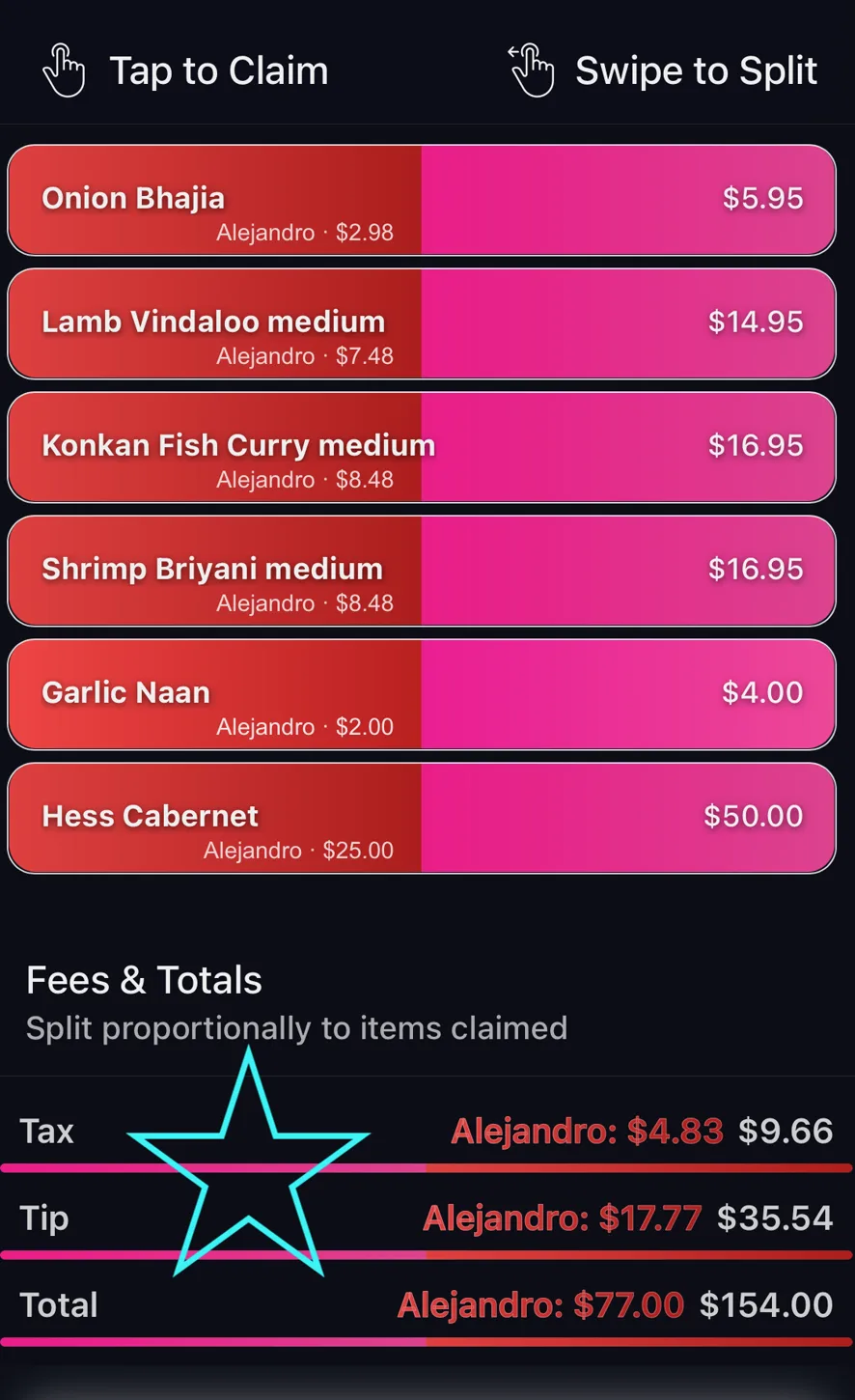
Tip, tax and fees are split across the bill in proportion to what each person claimed. Whatever someone selects as a percent of the receipt is automatically allocated to them to help pay back tip, taxes, and any other surcharges.
If the tip on the bill looks wrong, or you are not sure whether it was already included, check the original receipt photo before anyone pays.
This is the part an even split gets wrong. Divide a bill four ways and the person who had a salad pays the same tax and tip as the person who had a steak and three drinks: on a large bill that gap is often several pounds.
Claim a fifth of the items and you carry a fifth of the fees. No one has to calculate anything for that to hold.
It applies to every surcharge on the receipt, not just tip: service charge, VAT, delivery, booking fees and the small named extras restaurants add at the bottom are all treated the same way.
The Fees & Totals panel at the foot of the receipt shows each person’s share as it moves, so you can see the arithmetic rather than take it on trust.
If tip was not printed on the receipt, add it during the confirm step when the bill is uploaded and it distributes the same way.
Need more help?
We're here for you. Email us at support@tabster.ai and we'll get back to you as soon as possible.