Tabster Help Center
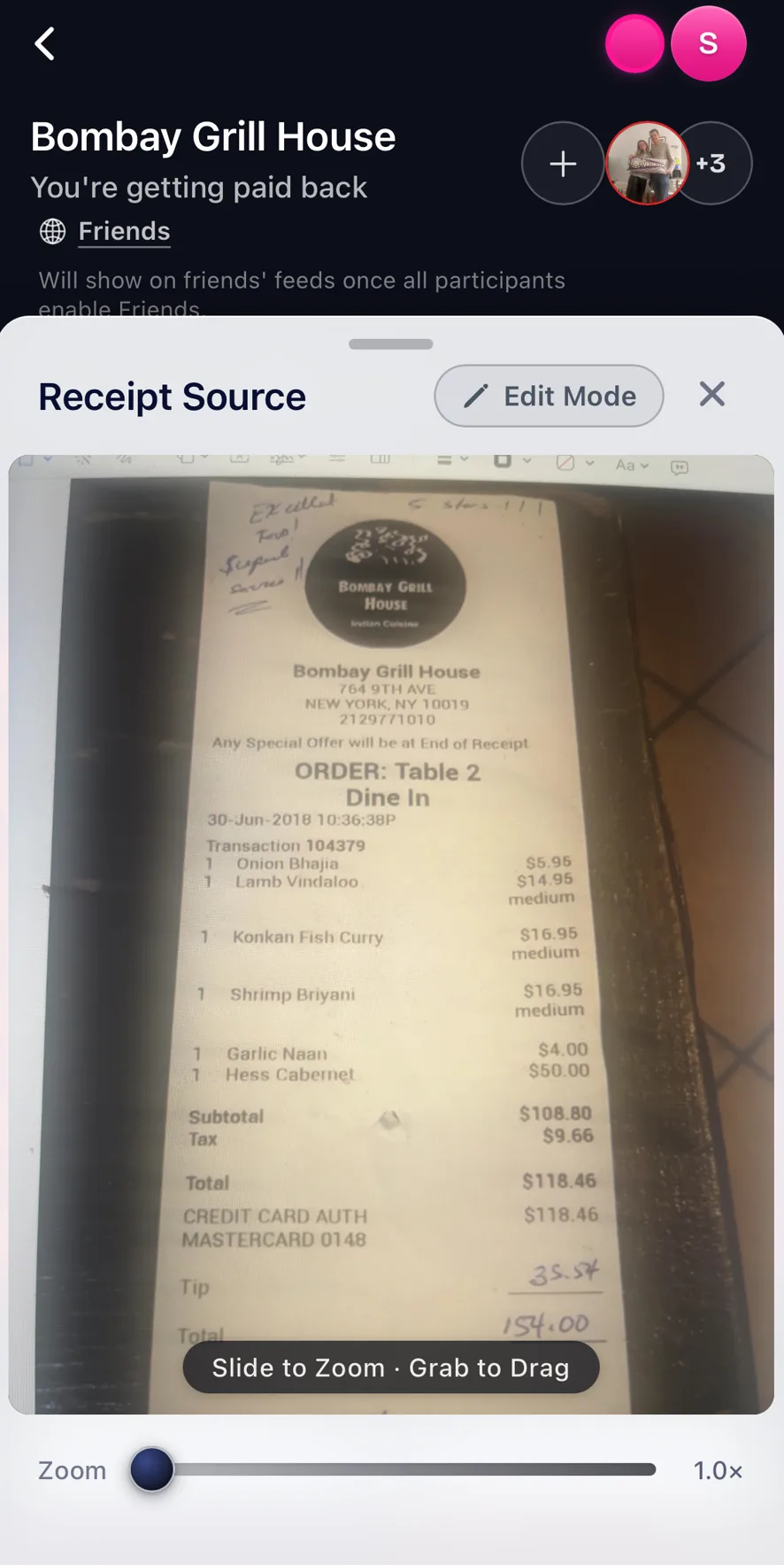
Checking the original receipt photo
You can click the receipt icon button in a receipt page, the one left of the three dot menu, to see the original photo or linked receipt source.
You can use this to remember if you added the tip or not and edit Tabster's interactive version of the receipt accordingly.
The source photo is kept with the split rather than discarded after scanning, so the original is always there to check against.
This is what to reach for when a number looks wrong. Zoom into the line in question, compare it against the itemized version, and fix it from Edit Mode if they disagree.
It settles the two arguments that come up most: whether the tip was already on the bill before anyone added one, and whether a service charge is a fee or an item. How those surcharges get shared out is covered in splitting tax and tip on a shared bill.
Need more help?
We're here for you. Email us at support@tabster.ai and we'll get back to you as soon as possible.