Tabster Help Center
Splitting utility and other bills or receipts by email
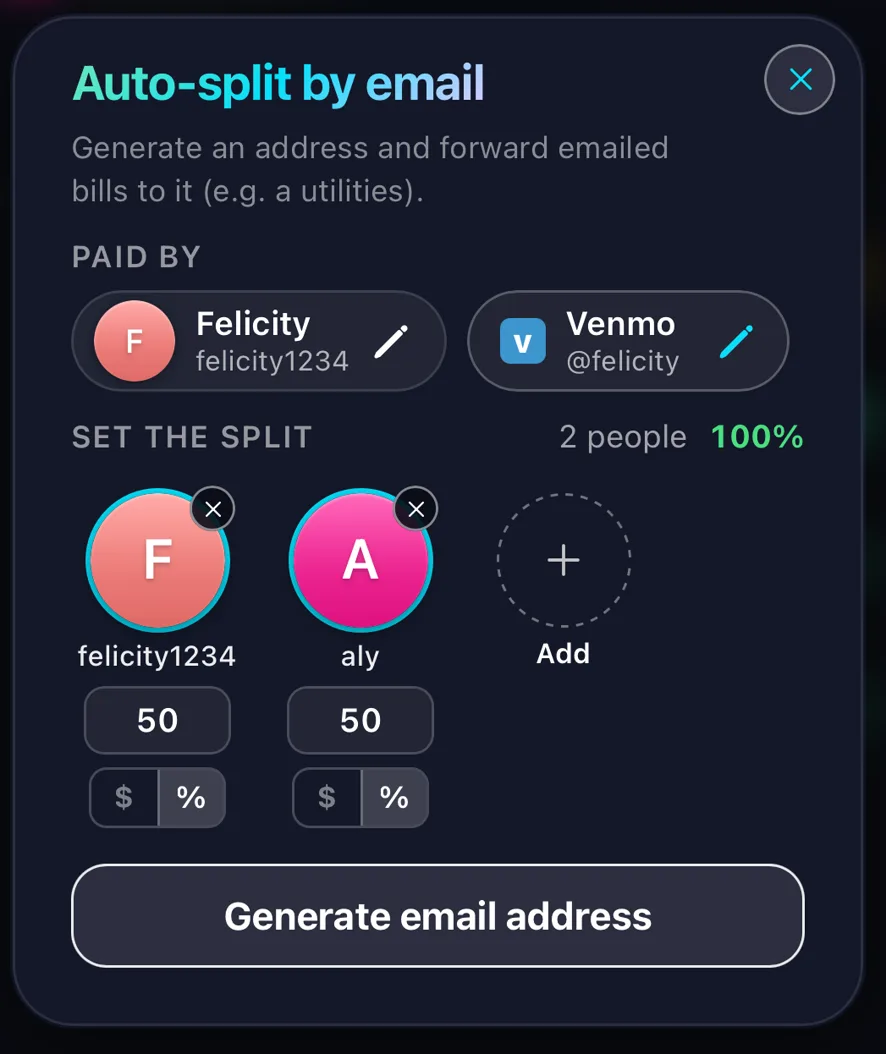
Click the + button on the bottom bar of the homepage and choose Email bills. Set who is splitting it and how, then generate an email address for it.
Forward a bill to that address and Tabster reads the invoice and splits it for you. Best for anything that arrives every month: power, internet, water. Set up a forwarding rule in your email and they will land in Tabster on their own.
A forwarding rule is what turns this from a task into nothing. Point it at the address once and the bill is read, split and on everyone’s tab before you have opened it yourself.
The amount is taken from the invoice, so a bill that changes every month splits correctly every month without anyone re-entering a figure.
This covers the household costs that only ever arrive as email and never as a receipt, which tends to be the ones that go unsplit for longest.
Need more help?
We're here for you. Email us at support@tabster.ai and we'll get back to you as soon as possible.