Tabster Help Center
Add group expenses (one-off or recurring costs)
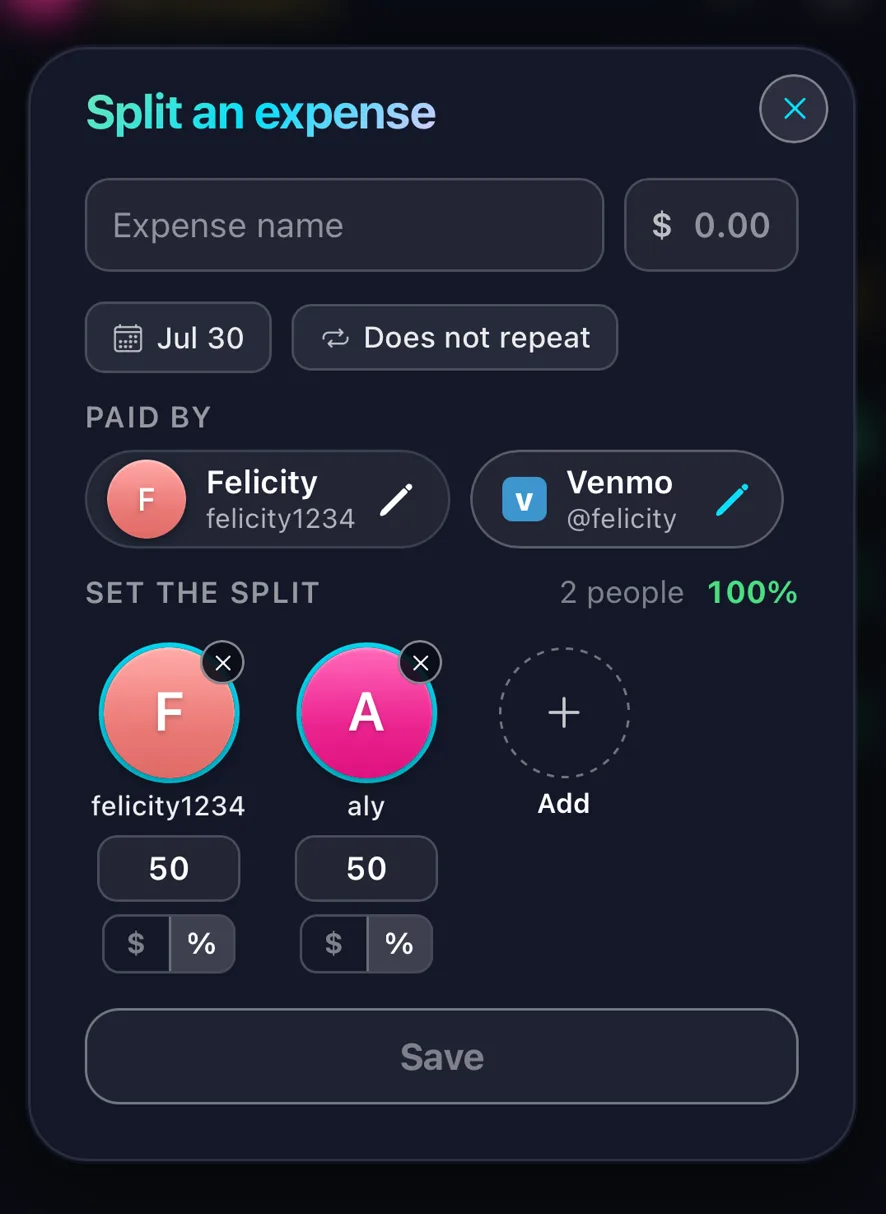
For costs that never come with a receipt, like rent, a cleaner or a shared subscription, click the + button on the bottom bar and choose Group expense. Name it, enter the amount, and pick who is splitting it and how.
It shows up as a card on everyone’s homepage and rolls into your running tabs like any other expense.
Splits do not have to be equal. The person with the bigger bedroom can take a larger share of rent, and whoever does not use the streaming subscription can be left off it entirely.
For anything that comes back every month, set it to recur rather than adding it again each time.
This is the catch-all for the household costs that never produce anything to photograph, which is most of the expensive ones.
Once it is in, it behaves like every other expense. It nets against what your roommates have covered rather than sitting as a separate thing to remember.
Need more help?
We're here for you. Email us at support@tabster.ai and we'll get back to you as soon as possible.