Tabster Help Center
Claiming for friends and sending a Venmo request
Not everyone is going to claim their own items. Somebody leaves early, somebody never opens the link, somebody is not on Tabster at all, so you can do it for them and request the money. Before chasing anyone, it is often quicker to nudge or tag them in the comments.
To select friends on your receipt to claim items for and Venmo request, click the + button top right and select a user to claim items for.
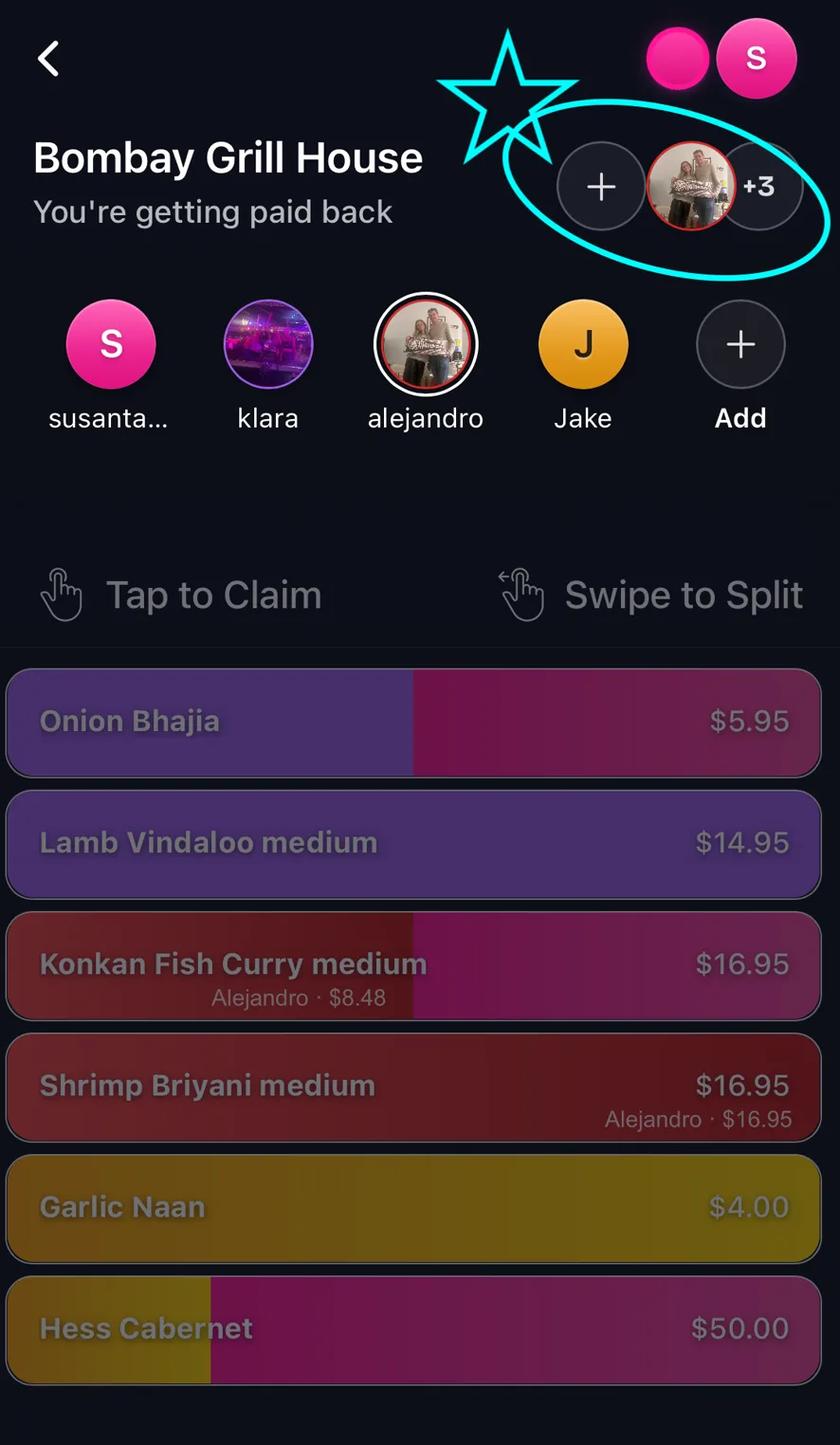
Then click Request, to review items, and Venmo request with the amount, handle, and message pre-filled.
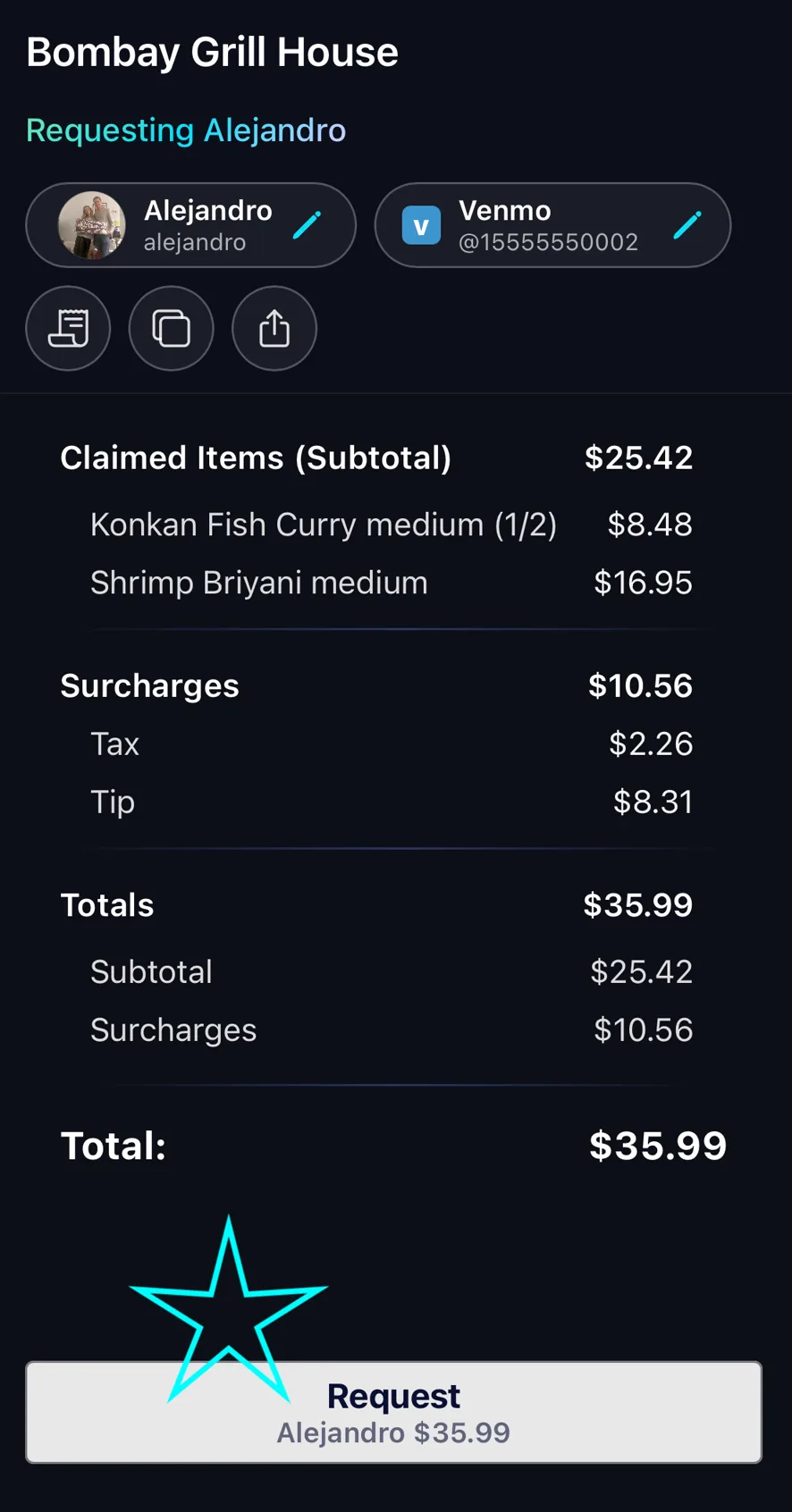
The request carries the itemized breakdown, so what lands on their phone shows what they ordered rather than a bare figure with no explanation. That is usually the difference between being paid straight away and being asked what it was for.
Their share of tax and tip is worked out the same way as everyone else’s, in proportion to the items you claimed for them.
You can claim for several people on one receipt and request each of them separately, which is the fastest way to close out a table where you were the only one using Tabster.
Need more help?
We're here for you. Email us at support@tabster.ai and we'll get back to you as soon as possible.